---
title: The Librarian theme
date: 2026-10-28
categories:
- website
- features
tags:
- blogtini
- themes
- libraries
- typography
featured: librarian-catalog.png
featuredcaption: '[The Librarian theme: posts as a drawer of library catalog cards]'
theme: librarian
comment:
---
Blogtini has a brand new theme -- and this one is ours. Not a port: **Librarian** was made from scratch,
for blogtini, and you won't find it anywhere else.
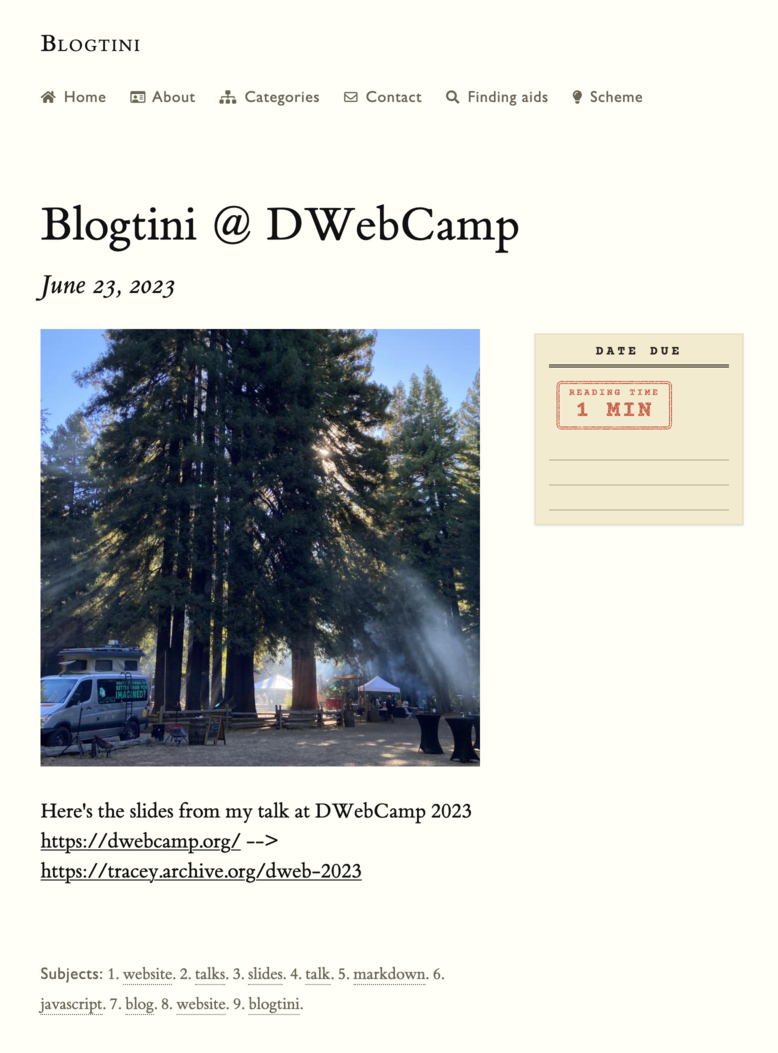
Every post becomes a typewritten library catalog card. Each post page gets a "DATE DUE" slip in its margin.
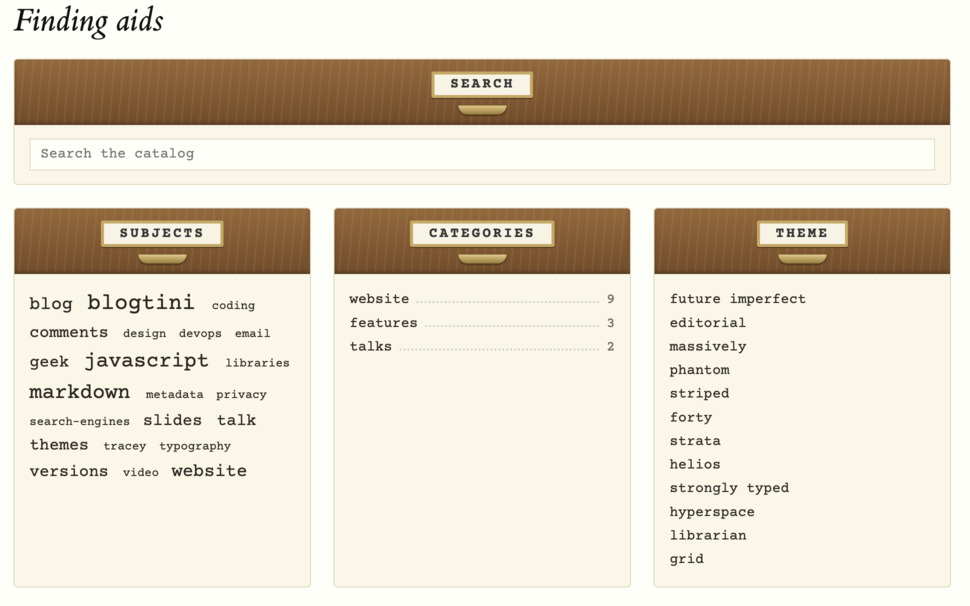
The search box, subjects & theme picker live in oak card catalog drawers, with brass label holders & pulls.
And the red rubber stamp on every card? That's the post's **estimated reading time**, stamped as its loan period.
This post is already showing itself in Librarian (unless you've picked another theme).
**[Try it on the whole site](#theme=librarian)** -- your pick lasts 24 hours, just for you, and the theme picker
at the bottom of any page switches back anytime. To make it your own site's theme, put `theme: librarian` in your
`config.yml`.
## Reading a card
Here's how each part of a real catalog card maps to a post:
```
┌─────────────────────────────────────────────┐
│ WEBS Jaquith, Tracey. │
│ .L30 The Librarian theme / Tracey │
│ 2026 Jaquith. -- October 28, 2026. │
│ 1,240 words : front., 2 ill. │
│ │
│ Blogtini has a brand new theme ... │
│ │
│ 1. website. 2. features. ... │
│ I. Title. ╔═════════════╗ │
│ ║ LOAN PERIOD ║ │
│ (o) ║ 6 MIN ║ │
│ ╚═════════════╝ │
└─────────────────────────────────────────────┘
```
- **Call number** (top left): the post's first subject, a
[Cutter number](https://en.wikipedia.org/wiki/Cutter_Expansive_Classification) made from its title
(a letter & two digits, like a library's), and the year. It's a little made up, but it's ours.
- **Main entry**: the author, last name first -- when a post has one.
- **Title & date**, then the **collation**: a book's card says how many pages & illustrations it has. Ours counts
words & images, and a post's featured image is its **frontispiece** (`front.`) -- the picture facing a
book's title page.
- A **summary**, then the **tracings**: the subjects a card is filed under. Each one links to every post with that
tag or category.
- The **punched hole** at the bottom, where the drawer's rod goes through.
- The **stamp**: reading time, at about 213 words a minute. Each post's stamp lands at its own slight angle, with
slightly uneven ink.
## Built on Tufte CSS
Posts are set in [Tufte CSS](https://edwardtufte.github.io/tufte-css/): Edward Tufte's book typography, with its
wide right margin for notes. That margin is where the DATE DUE slip goes, and where a featured image's caption
appears. The body text is ET Book; the cards are typed in Courier Prime.
The rest follows the library idea:
- **Finding aids** (an archivist's word for the guides to a collection): the search, subjects, categories & theme
picker drawers, at the end of every page
- **Subject headings**: the tags page is laid out like a book's index, with dotted leaders
- **Previous / Next on the shelf**: a post's neighbors
- **Ask a librarian**: the contact page
- **Colophon**: the footer
- **Shh!**: the comment form asks you to keep it down
- **The reading room after hours**: the dark scheme, for nighttime readers
Like everything else in blogtini, it doesn't call out to anyone else's servers. Tufte CSS & the fonts are
self-hosted alongside the theme -- no font CDNs.
## Reading time, for every theme
The reading time behind the stamps is now shared by all the themes. Future Imperfect's "4-Minute Read" and
Striped's clock use it too. Don't want it? `reading_time: false` in your `config.yml` turns them all off
(Librarian drops its stamps & slips).
## Show off any theme
Two more new things, for every theme:
- A post can pick its own theme: `theme: librarian` in its front matter, like this post.
(A viewer's own pick from the theme picker still wins.)
- A link can switch a viewer to a theme, just like the theme picker: `[Try it](#theme=librarian)` in a post's
markdown -- or share a link like https://blogtini.com/#theme=librarian